

A port scanner written in Python
I recently wrote a port scanner in Python. It was motivated by mainly two factors: getting more familiar with Python and of course - fun! :) Learning is simply way more rewarding when you are not just passively reading books or tutorials, but instead work on a practical project about a topic you are passionate about, as in my case: security.
Before we dive into the project description, first things first, you can find the script in the repo on GitHub.
Disclaimer: Only use this tool on networks you own or where you have explicit permission to test.
In its current state, the script has the following capabilities:
- ICMP host discovery
- TCP connect scan to detect open ports
- Banner grabbing (best effort)
- Optional JSON export of scanning results
As input, a single host, a range of IP addresses, or a whole subnet as a scan target is mandatory. Optionally, a port range can be specified, and a JSON export of the results can be created.
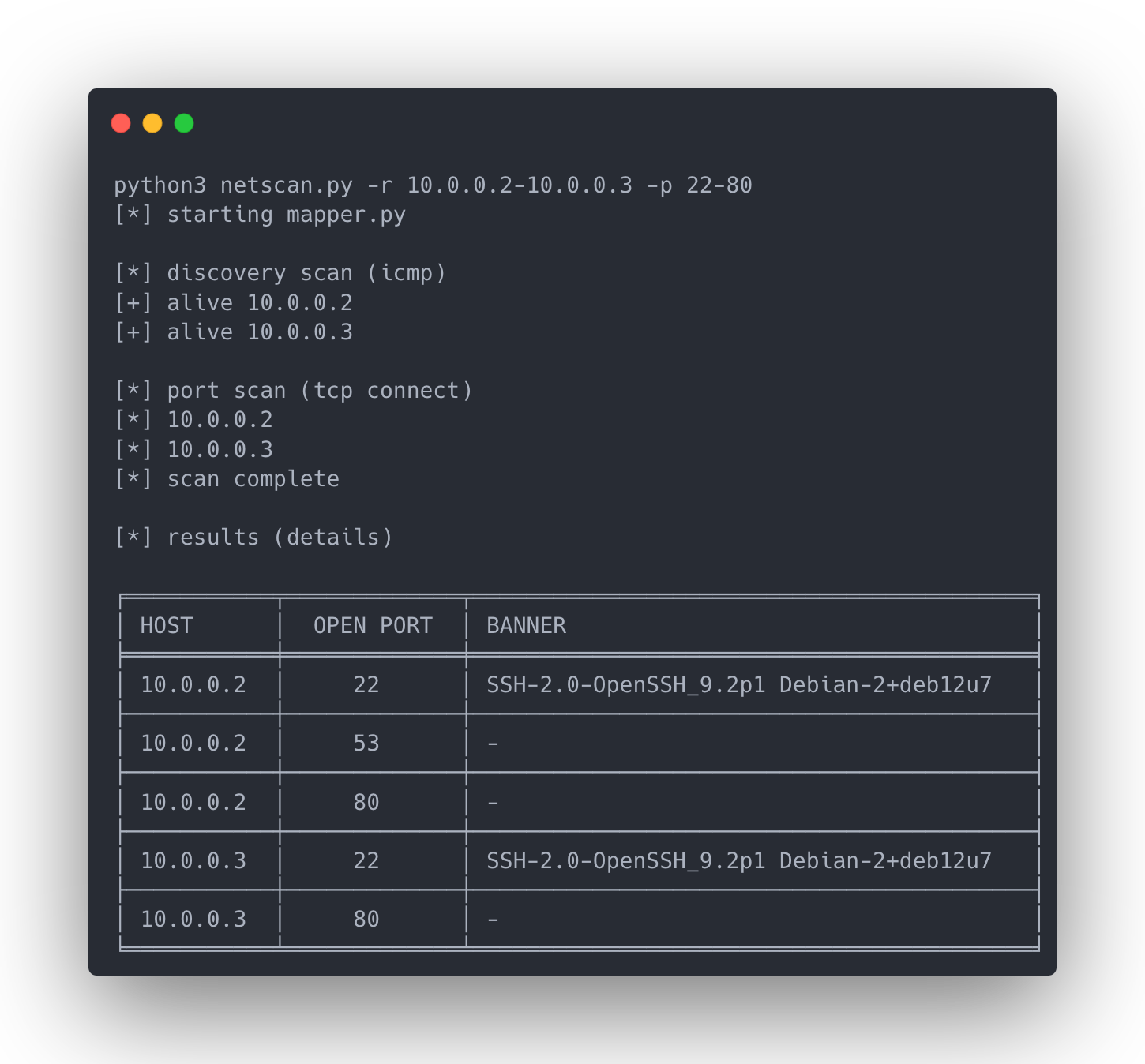
Here are a few limitations I want to discuss. It is good to be aware of such limitations if you also want to use the script. And it can also be seen as roadmap for further improvement. So let me describe the limitations in detail and how they could be resolved.
1. Hosts might be missed due to failing ICMP discovery
The script uses a function called alive_check for host discovery. Using ICMP (ping) the script stores responsive hosts in a list. This list is then used as the basis for the TCP connect port scan. ICMP echo replies may be blocked/filtered or there can be a timeout and when a host does not send an echo reply it won’t be scanned.
To fix this issue a flag could be added to skip alive_check and just scan every IP address that was provided as input.
2. Banner grabbing is still passive and best effort.
The script uses grab_banner to (surprise): grab banners. At the moment it just passively awaits an answer from the remote host on a given port with banner = s.recv(1024).decode().strip(). This works best with server-first protocols that send a greeting banner immediately after the TCP connection is established (e.g., SSH, FTP or SMTP)
Client-first protocols are not sending banners directly after the TCP connect, e.g., HTTP doesn’t send a response without a prior GET request. Also with TLS in place, there must be a TLS-handshake before we would get some info about the service using that specific port.
To optimize banner grabbing I have some ideas like to implement active probing for protocols like HTTP.
3. Large subnets and/or large number of ports will take a long time to scan
The script pings/scans one host after another and this can be a slow process when we scan many hosts and/or ports. I think one option for solving this problem would be multithreading. For me, this is the most interesting problem to solve right now. I have never implemented multithreading before, so I’ll need to read up on it.
4. Windows is currently not supported
This was just a pragmatic decision because I only tested the code on Linux and macOS. I certainly want to check what kind of adaptation is necessary to make it work on a Windows machine. I think only the ICMP implementation needs to be adapted, so this is just a small change.